
Mirakl Ads now supports complementary product placements on product detail pages, giving retailers a new source of Sponsored Products inventory and giving advertisers visibility at the moment a shopper is already building a basket.
The path to purchase has a new starting line
For most of the last decade, the shape of an eCommerce session was predictable. A shopper landed on the homepage or a category page, typed something into native search, compared a few options and worked their way down to a product page. Retail media was built around that journey, and it works: search and category placements capture demand exactly where shoppers declare it.
That journey is still very much alive. But it's no longer the only one.
AI is restructuring how discovery happens. A growing share of shopping journeys now begin in a chat interface or an AI-generated answer rather than a search bar. Even shoppers who start on a traditional search engine are increasingly met with generative results that behave much more like a conversation than a list of blue links. In both cases, the comparison work happens upstream — before the shopper ever reaches the retailer's site.
The practical effect is a change in where shoppers land. Instead of arriving at the top of the funnel and browsing down, more of them arrive deep in the funnel, dropped directly onto a product page for an item they've already decided on. They're not looking to compare. They already know what they want.
That creates an opening. When a shopper lands on a product page with intent already formed, the most valuable thing a retailer can put in front of them isn't another version of what they're looking at. It's the thing that goes with it.
Introducing complementary product ads
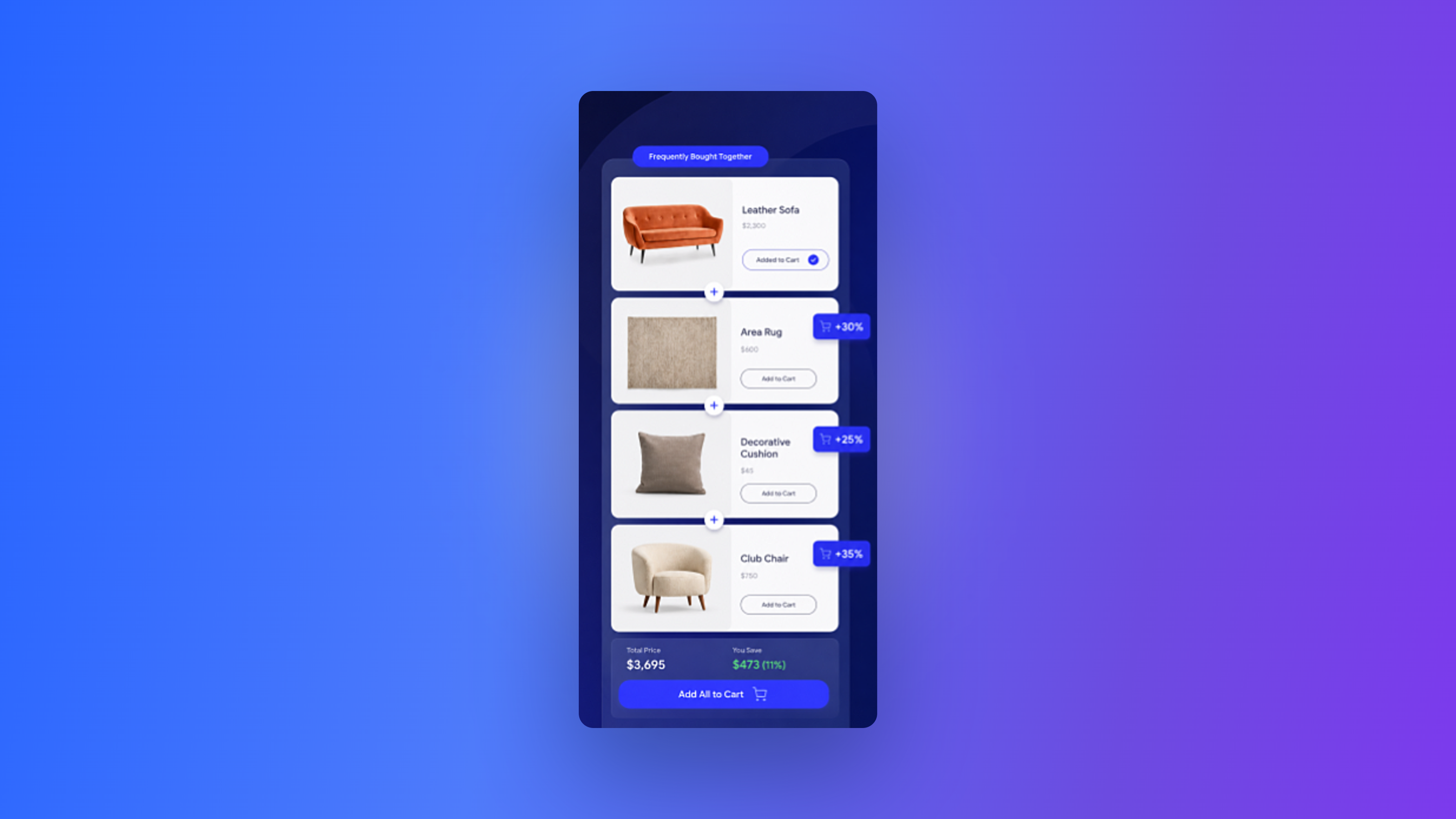
Complementary product ads are a new ad unit type on product detail pages, designed to improve cross-sell by enabling retailers to surface complementary products alongside the item a shopper is viewing.
Product pages have always been valuable retail media real estate. What's new is the kind of inventory that can live there. Alongside similar and alternative items, retailers can now merchandise accessories, pairings and compatible items — the sleeping bag, the portable burner and the fire-proof matches next to the tent. The matching bag next to the dress.
For retailers, that's a brand-new inventory source for Sponsored Products. For advertisers, it's a placement built on adjacency rather than head-to-head competition, reaching shoppers at the precise moment their basket is still open.
How it works
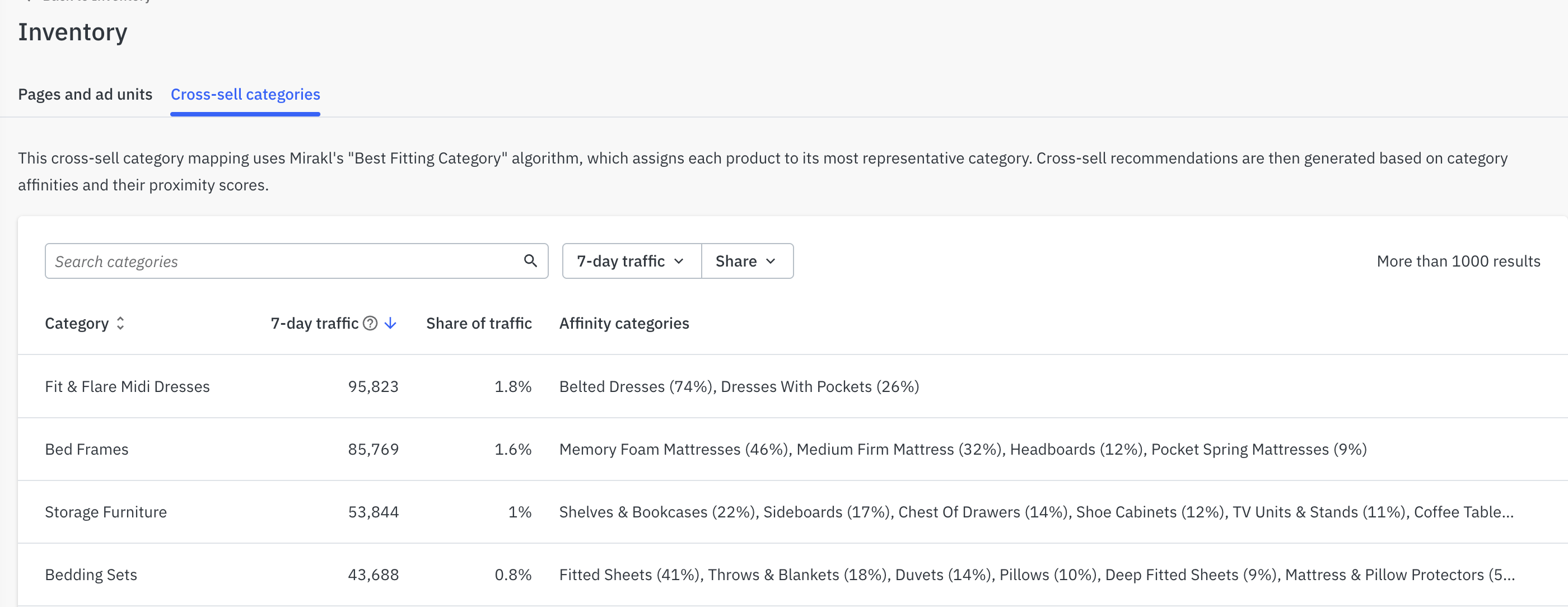
Mirakl's recommendation engine does the mapping automatically. For each Best Fitting Category in the catalog, it identifies the most relevant complementary categories and assigns a complementarity score that drives relevance in the placement.
Retailers can review and edit that mapping and the underlying scores directly in the platform under Supply > Inventory > Cross-sell categories, so the logic behind what appears in the carousel is visible rather than opaque.
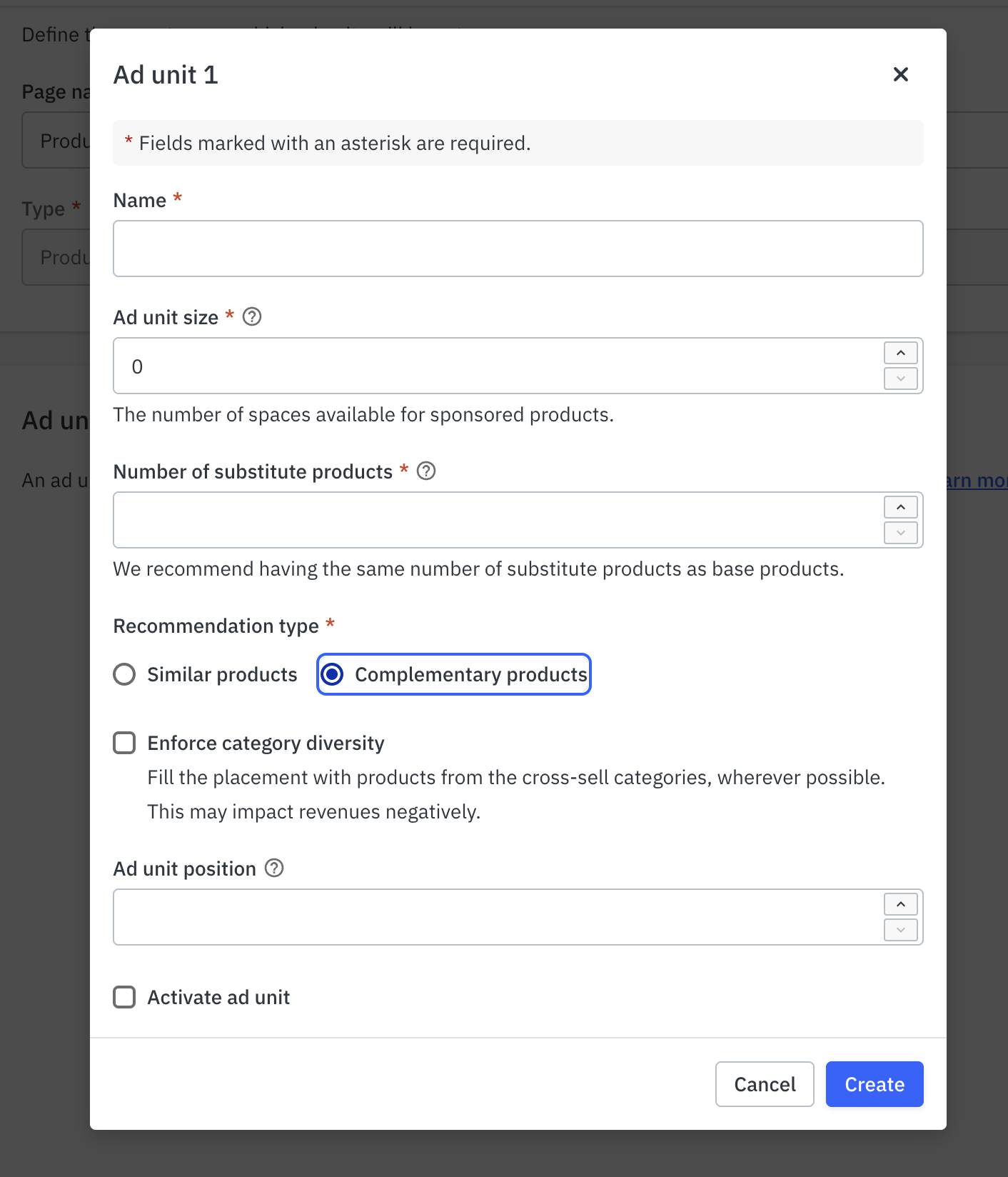
When the carousel is filled, retailers choose how the ad server should prioritize:
- Ad spend — maximize yield from the placement
- Category diversity — spread exposure across a broader set of complementary categories
That single control is what makes this a yield management lever and not just a new ad slot. Retailers decide for each ad unit whether a given placement is working harder for revenue or for assortment discovery.
What it unlocks
A new inventory source without new page real estate. Complementary placements expand what product pages can monetize rather than competing with existing search and category inventory. More qualified supply means more room for advertiser demand across the same traffic.
Larger baskets, not just redirected ones. Similar-item placements are excellent at helping a shopper find the right product. Complementary placements are aimed at a different outcome entirely: adding a second and third item to a cart that already has one in it. The goal is basket expansion, not substitution.
Relevance that holds up at catalog scale. Category-level complementarity mapping means retailers don't have to hand-build relationships across tens of thousands of SKUs for the placement to make sense to a shopper.
Coverage for both journeys. Search placements capture the shopper who arrives ready to browse and compare. Complementary placements capture the shopper who arrives already decided, from a chat interface, an AI answer or a direct product link. Retailers running both give their advertisers visibility regardless of which path a shopper took to get there.
A clearer story for advertiser conversations. Sellers and brands consistently ask for placements tied to purchase intent. A complementary product that appears alongside the product the shopper is viewing is one of the easiest value propositions a retail media team can bring to market.
Get started with Complementary Ads on Mirakl Ads
Complementary product ads are available to Mirakl Ads customers now. Review your category mapping under Supply > Inventory > Cross-sell categories to see how the recommendation engine has mapped your catalog, then decide where to prioritize yield and where to prioritize diversity.
To walk through setup, placement strategy or how to position the new inventory with your advertisers, reach out to your Mirakl account team.
Book a demo (opens in a new tab) | Explore Mirakl Ads (opens in a new tab)