
More brands are adding online marketplaces to reach new customers outside their eCommerce sites, and the performance numbers explain why.
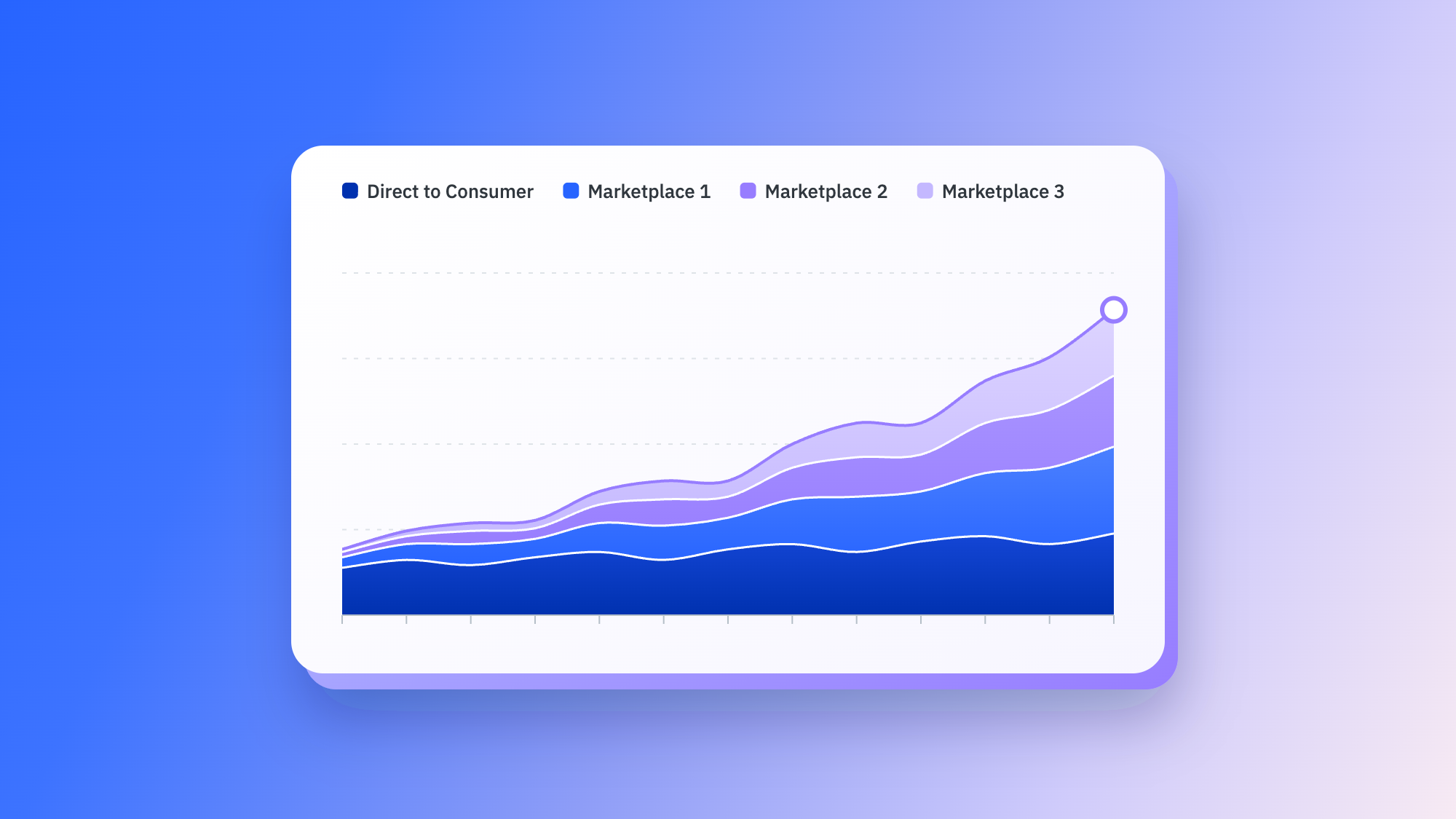
Marketplace gross merchandise value (GMV) grew 31% year over year in 2025, compared with 6.86% for traditional eCommerce, according to the 2026 Mirakl Seller Report (opens in a new tab). The number of merchants entering marketplaces also grew 26% (opens in a new tab) during the same period.
Getting started on a marketplace can happen faster than brands might expect. Sellers who use a dedicated marketplace selling platform complete onboarding in a median of 28 days (opens in a new tab), according to the 2026 Mirakl Seller Report, with the fastest launching in less than two weeks.
But deciding to sell on marketplaces is only the first step. A brand still needs to choose the right channel, get approved, prepare a product catalog and make sure that inventory, fulfillment and returns policies can support marketplace orders.
This post breaks down the marketplace selling process into seven steps, from deciding whether to sell through measuring first results.
1. Decide if selling on marketplaces is right for your brand
Before applying to a marketplace, ask a basic question: How will this marketplace fit into my business?
Selling on marketplaces helps put your products in front of shoppers who are already searching for what you sell, but may not yet be familiar with your brand. That said, to be successful you’ll want to be well aware of the fees and operating standards associated with each marketplace you sell on.
Consider these criteria:
- Customer fit: Are people who buy your type of product shopping on this marketplace?
- Margins: How will commissions, fulfillment costs and other marketplace fees factor into your pricing?
- Brand control: How will you present your products and keep your brand experience consistent?
- Team capacity: What will your team need to manage product data, orders, inventory, fulfillment, returns and customer service to the marketplace’s standards?
Brand control is especially important for companies accustomed to selling through their own eCommerce sites. The good news: Selling through a marketplace doesn’t mean handing over every decision to the retailer. Brands can choose which products to sell, set their prices and decide when to run promotions or markdowns.
Operations are also a consideration. If your team already runs a Shopify store, for example, marketplace orders can connect with the eCommerce systems and fulfillment processes you already use. You’ll be adding a new sales channel without creating a separate business to run it.
2. Select your first marketplace
The biggest marketplace is not necessarily the best first marketplace for your brand.
Each marketplace has its own customers, competitive environment and operating rules. Choosing one means weighing who you want to reach, what it will cost and what your team will need to manage.
Category fit is a good starting point. Search your main categories on the marketplace to see which brands and products are performing well and whether shoppers are buying products similar to yours. You want to know whether your products can stand out.
Then, look at the audience. Some marketplaces emphasize value and convenience, while others focus on premium brands or specific product categories. The brands already succeeding there will tell you a lot about the kind of shoppers the marketplace attracts.
Next, build a basic profitability model that factors in:
- Commission and seller fees
- Shipping and fulfillment
- Returns processing
- Advertising
- Payment processing
- Internal labor
Finally, size up the competition and what it takes to operate well. Review competing products and price points to make sure your team can meet the marketplace’s standards for product data, inventory, fulfillment and customer service.
3. Understand the application and approval process
Choosing a marketplace doesn’t guarantee you can sell there.
Some marketplaces accept seller applications broadly, while others are curated. Target Plus, for example, is invite-only. Retailers such as Macy’s also select brands for their marketplaces rather than opening them up to every seller.
That selectivity can benefit brands. With fewer, more carefully chosen sellers and products, approved brands can more easily garner shoppers’ attention and gain the customer trust that marketplace has built.
Approval criteria vary by marketplace, so research each marketplace’s approval process before preparing a full catalog. Marketplace operators often evaluate your product assortment, category fit, brand reputation and ability to provide reliable customer service. They want sellers that can bring in products their customers are looking for and deliver the customer service shoppers expect from the retailer.
Before applying to marketplaces, be ready to show:
- How your products fit the retailer’s assortment
- What makes your brand relevant to its customers
- Your ability to maintain accurate inventory
- Reliable fulfillment and returns policies
- Complete product information and high-quality images
4. Prepare your product catalog for marketplace onboarding
Once a marketplace accepts you, your catalog becomes a major factor in how quickly you launch.
Because every marketplace has its own taxonomy, category hierarchy, required attributes, and image and content standards, the product data that works on your eCommerce site may not match what the marketplace needs.
For instance, a product listed as a “counter stool” in your internal catalog may need to map to a more specific marketplace category and include structured fields for dimensions, materials, color and other details.
These differences are a common reason for onboarding delays, but they’re also among the easiest problems to fix before you submit. Marketplaces often reject listings because attributes are missing or products are mapped to the wrong category.
To prepare catalogs, start by auditing your existing product data against what the marketplace expects. Look for:
- Attributes such as size, color, material and dimensions that contain missing or incomplete information.
- Categories that do not map cleanly with the marketplace’s taxonomy.
- Titles or descriptions that do not meet character limits, content requirements or formatting rules.
- Images that do not adhere to specifications for dimensions, backgrounds or file formats.
- Pricing or inventory data that may not stay current, such as a recent price change or a product that has sold out.
5. Create and test your product listings
When your catalog is ready, you can start turning that product data into marketplace listings.
Each marketplace has its own listing process and specifications for categories, content and inventory, so rather than submitting your full assortment immediately, test a sample of products across different categories. Check that the information is mapping correctly and each listing appears the way you want shoppers to see it.
Pay particular attention to:
- Product categories and attributes that appear correctly and include details such as size, color and material.
- Titles and descriptions that are complete, accurate and properly formatted.
- Images that display clearly and in the correct order.
- Prices that reflect current pricing, discounts and promotions.
- Inventory availability that matches current stock levels.
6. Set up inventory, fulfillment and returns
Reliable fulfillment is what turns a live listing into repeat customers.
Start with inventory. Stock levels need to stay accurate as products sell. When your fulfillment system and the marketplace stay in sync, you only accept orders you can fill.
Pricing needs to stay current as well. Make sure your marketplace pricing is connected to your existing commerce system so changes to base prices, discounts and promotions flow to the marketplace automatically instead of requiring manual updates.
Before launch, test what happens after a customer places an order, from receiving and fulfilling it to sending tracking information and handling refunds and returns. Confirm that each step works correctly and that your team knows who is responsible when an issue needs attention.
Returns deserve extra attention. Policies vary by marketplace, so understand what the retailer requires, who handles the return and refund, and who keeps the customer informed.
Brands already using Shopify can connect marketplace operations to the systems they already use. Product, inventory, pricing and order data can stay synchronized between Shopify and the marketplace, reducing manual updates and the need for a separate process for marketplace orders.
7. Launch and measure marketplace performance
Once your products go live, verify that listings are available for purchase, that inventory and prices are accurate and that orders are flowing into the right systems. Watch for rejected or suppressed listings and address them quickly.
With listings in good shape, it’s time to look at performance. Sales and GMV are obvious metrics, but they do not explain why products are performing the way they are. Depending on the data available from the marketplace, track:
- Sales and GMV
- Conversion rate
- Top-selling products and categories
- Inventory availability
- Listing rejections or suppressions
- Cancellation rate
- On-time shipping
- Return rate
- Customer service issues
Look at how those numbers work together. If shoppers view a product but do not buy it, review the listing, price and offer. If a popular product repeatedly runs out of stock, revisit inventory planning. If returns are high for a particular SKU, check whether the product information accurately describes what customers receive.
The first few weeks on a marketplace give you real data about what customers want. Use those insights to decide which products to feature, which listings to update and where to increase inventory.
What to look for in a marketplace selling platform
For brands already running an eCommerce business, selling on a marketplace should build on their current systems and operations.
The right platform links those existing operations to marketplaces such as Macy’s, Best Buy and Target Plus. Look for one that brings catalog, pricing, inventory, orders, returns and customer messages into one place, so your team can manage the core work of marketplace selling without creating separate processes for each marketplace.
Brands using Shopify should look for a native connector so that product data, inventory and orders stay synchronized between Shopify and connected marketplaces. Teams can also manage marketplace orders through the Shopify back-office.
AI-powered catalog tools (opens in a new tab) that adapt product data to marketplace requirements are also critical in eCommerce today. The best ones categorize products, match product information to marketplace fields and fill in missing information, helping teams prepare listings faster without manually updating the same product details for each marketplace.
According to our 2026 Seller Report (opens in a new tab), sellers who use AI to adapt their catalogs to marketplace requirements generate 88% higher GMV (opens in a new tab) than those that do not.
Taken together, these capabilities make it easier to manage the moving parts of marketplace selling, from preparing product data and keeping listings current to managing inventory and orders.
Build your marketplace on what already works
Your first marketplace can put your brand in front of customers who may never find you through your eCommerce site alone. And you don’t have to build a separate operation to reach them.
By connecting the marketplace to the systems you already use for product data, inventory, fulfillment and returns, you can spend less time on day-to-day marketplace tasks and more time figuring out what sells and how to reach more customers.
Frequently asked questions
First, map how marketplace selling fits your customers, margins and operations. Then choose a marketplace based on audience and category fit, review its seller requirements and apply for approval. If accepted, prepare your catalog, create and test listings and set up inventory, fulfillment and returns before launch.
Timelines depend on the marketplace and approval process. According to the 2026 Mirakl Seller Report, sellers who use a dedicated marketplace selling platform complete onboarding in a median of 28 days, and the fastest finish in less than two weeks.
Not necessarily. Some marketplace selling platforms offer a prebuilt Shopify connector that lets brands connect their existing store to marketplaces. Product data, inventory and orders can flow between your commerce operations and marketplaces without creating a separate process for marketplace orders.
Criteria vary by marketplace. Retailers often evaluate product assortment, category fit, brand reputation, pricing, product data and customer service. Knowing what a marketplace looks for helps you put forward a stronger application.